BillingBot Documentation
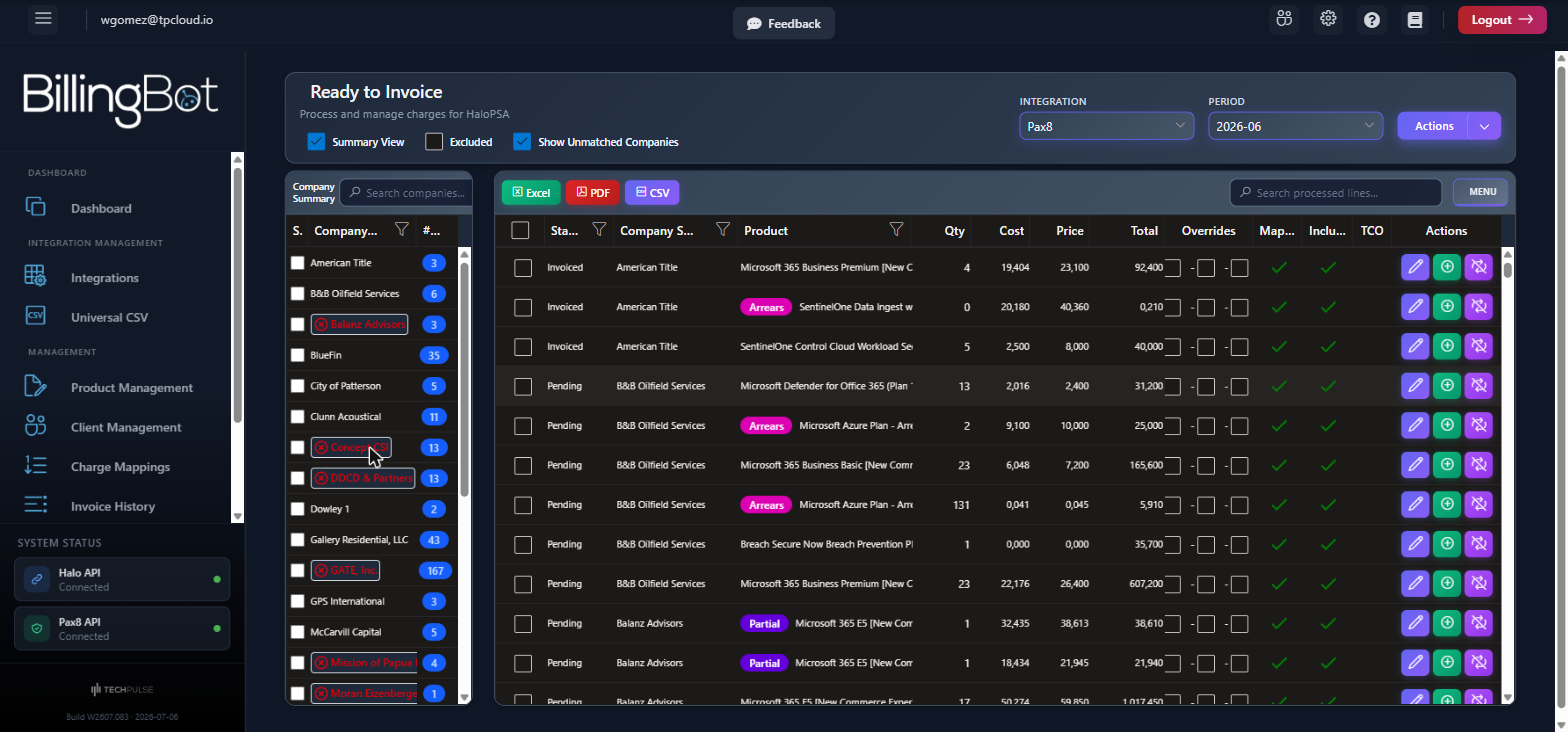
Ready to Invoice is the heart of BillingBot: here you import charges from your cloud distributor (Pax8, Ingram CloudBlue, ITCloud, Twilio, or a CSV file), review and correct them, and send them to HaloPSA as invoice lines for your client...
Last updated 24 days ago
Ready to Invoice is the heart of BillingBot: here you import charges from your cloud distributor (Pax8, Ingram CloudBlue, ITCloud, Twilio, or a CSV file), review and correct them, and send them to HaloPSA as invoice lines for your clients. The goal is to turn your monthly licensing and cloud consumption billing from hours of manual work into a guided flow that takes minutes.
New to BillingBot? Start with Getting Started: create your tenant — the full onboarding, with every configuration option explained.
The monthly flow in 5 steps
- Import — In Ready to Invoice, select the integration and the period, then load the charges. BillingBot first syncs the product catalog and then downloads the charges for the period.
- Map — Link each distributor company to its company in Halo, and each product to its Halo product. Lines with pending mapping are marked in red; tools like Products without SKU and Bulk Mapping of Recurring Invoices speed up this step. This work is heaviest in the first month; after that, BillingBot remembers the mappings.
- Review and correct — Adjust individual lines (Edit Invoice Line), exclude anything that shouldn't be billed, or reassign charges to another company when a client absorbs another client's charges.
- Send to HaloPSA — Queue the charges and confirm them from Send Charges to HaloPSA. If multiple lines compete for the same destination, BillingBot will ask you to resolve the ambiguities before sending.
- Verify — Check the sending result (invoices created or updated per client) and, if something failed, the details in Sending Errors.
Key concepts
Dashboard
Ready to Invoice screens
AutoTask / Contracts
Integrations
Universal CSV
Ingram Micro
Invoice History
Client Management
Product Management
Charge Mappings
Settings
Pricing
Where do I find…?
Sending actions to HaloPSA create or modify real invoices in your Halo instance. Always review the totals per company before using "Send to HaloPSA".
Was this helpful?
Still need help? Ask the team